Prompt Anatomy Executive OS · v1.0

Executive decision operating kit

From AI noise to decision.

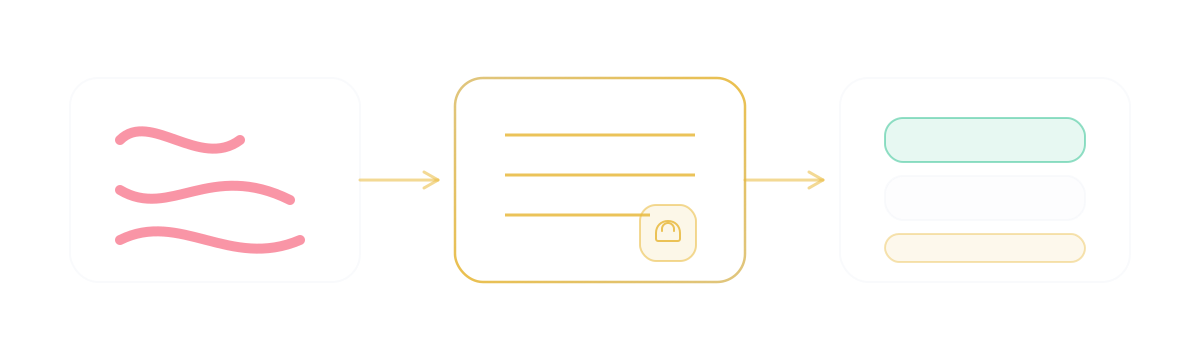
One structured brief with owner, risks, deadline, next action.

Proof in one screen

Turn business noise into a decision brief.

Structure + safety gate → owners, deadlines, next action.

What is a prompt?

The instruction you give the model so the reply matches a decision-ready shape—trade-offs, risks, owners, deadlines—instead of unstructured text.

What is PromptAnatomy?

The executive standard for building that instruction: role, context, decision logic, fixed output format, and a safety check before anything is sent.

Global context + modules

Define context once. Inject it into high-impact executive modules.

One compiled prompt → decision-grade output you can act on.

Global context block

PERSISTENT

Mandatory. Define once, inject everywhere.

Rules injected (non-negotiable)
  • No generic advice. If context is missing, ask up to 3 targeted questions first.
  • Do not invent numbers or facts. Flag what must be verified.
  • Output must be decision-grade: recommendation, risks, owners, deadlines.

No context, no value—blanks stay placeholders. Filled values embed in each module's Copy full prompt (on the card below—not a separate copy block).

Fill the 4 context fields, then copy one module (Decision impact is a safe first pick).

1. Red team

Strategy breaker

Stress-test a strategy before you spend calendar time on it.

Task

Stress-test: [Insert your strategy or plan here]

Expected output (readable)
Verdict: Proceed / Revise / Kill

Top 3 risks (ranked):
- Risk:
  - Hidden assumption:
  - Early warning signal:
  - Mitigation (next action + owner + deadline):

Kill criteria:
- ...

First 48h moves:
- Action — Owner — Deadline

2. Sentiment

Culture decoder

Turn raw feedback into the few actions that actually change morale.

Task

Analyze: [Paste team feedback, survey results, or raw text here]

Expected output (readable)
Core emotion (1 line):

Top 3 real issues:
- ...

Unspoken problem:

Actions (next Town Hall):
- Action — Owner — Deadline

Risks if ignored:
- ...

3. 2nd-order

Decision impact

Force second- and third-order effects before you commit.

Task

Evaluate: [Describe a pending decision here]

Expected output (readable)
Recommendation: Go / Delay / Reject

Immediate benefit:

2nd-order effects (6–12m):
- ...

3rd-order risks (12–24m):
- ...

Reversibility: Reversible / Partially reversible / Irreversible

Next actions:
- Action — Owner — Deadline

4. Comms

CEO voice

Rewrite into a clear stance + one CTA without sounding defensive.

Task

Rewrite: [Paste draft email, memo, or announcement here]

Expected output (readable)
Stance (1 line):

Message (≤150 words):

Call to action (1 line):

Risks of misinterpretation:
- ...

5. Pre-mortem

Competitive attack

Assume you fail. Find the weak point and the defensive move now.

Task

Act as a competitor CEO attacking my current setup.

Expected output (readable)
Competitor’s best attack:

Your blind spot:

Weakest point:

Defensive move (now):
- Action — Owner — Deadline

Hardening checklist:
- ...

6. Time audit

Leverage filter

Cut, delegate, and set focus rules for next week.

Task

Analyze: [Paste list of your calendar events/tasks for the week]

Expected output (readable)
Top 20% impact:
- ...

Bottom 30% to delegate:
- Task — Delegate to — When

Eliminate now:
- ...

3 focus rules (next week):
- ...

7. Custom

Custom module

Define your own task and output shape. Keep the same context + rules.

After copy: open your approved AI tool and paste. Nothing leaves this page.

Use your org-licensed provider and account; follow each vendor's terms and plan limits.

When you want the full system

Install PromptAnatomy as the team standard.

Primary path: move this decision workflow into PromptAnatomy for repeatable team execution.

Clarity practice

Pick a scenario. Get the brief.

Decision and next action when you need them.

Pick a scenario—the brief updates below.

Brief

Decision needed

Choose which Q3 initiatives stay protected, which pause, and who owns the recommendation by Friday.

Next action

Open with the trade-off in one sentence. Then force one decision and close with owner, criteria, and deadline.

Bottom line

This is not a status meeting. It is a prioritization decision: protect near-term revenue delivery or preserve hiring discipline.

After copy: open your approved AI tool and paste. Nothing leaves this page.

Use your org-licensed provider and account; follow each vendor's terms and plan limits.

Open Details for risks and questions, or Input for the messy scenario notes.

Keep the structure on your desk

Same structure on one page—the Kit download section (below) has the printable PDF when you want it offline.

Download Max Value Kit

Safety check

Use this before sending AI output.

Last gate after you compile a prompt from Context + modules—same four checks, before anything ships.

Prompt to copy

          Act as an executive risk reviewer. Review this AI-generated text before I send or use it: [TEXT]. Context: [BOARD / CLIENT / TEAM / PARTNER]. Return 1) factual risks to verify, 2) legal or reputation risks, 3) missing context, 4) unclear decision or owner, 5) a safer revised version if needed.
        

The button copies the full prompt above.

Take the executive kit

Take the short kit. Install the system when the team needs the standard.

Download the Max Value Kit for this week. Open PromptAnatomy when you want the same method as a team-wide standard.

Executive prompt anatomy

Five blocks that keep AI useful for leadership work.

Five blocks (expand)

Use 2–3 for speed; all five before board or client-facing sends.

  • Role
  • Context
  • Decision Logic
  • Output
  • Quality Check

Step 1

Role

Who AI plays as and the business outcome.

Step 2

Context

Audience, constraints, facts the team already has.

Step 3

Decision Logic

Criteria, trade-offs, reversibility, timing.

Step 4

Output

Format, owner, deadline, decision-ready shape.

Step 5

Quality Check

Verify before client, board, or team sees it.

5-hour weekly ROI path

Pick one step. Get a cleaner decision today.

Choose a 5–45 min move, copy the prompt, and run it. Repeat the same rhythm each week.

  1. 01

    Review & send clearly

    15-40 min

    Catch risks before send; land a structured, credible update.

    Risk-check then rewrite board, client, partner, or team messages so they are safe and clear.

  2. 02

    Scan for signal

    20-40 min

    Find hidden risk + decision before the meeting.

    Pull signal, hidden risk, and the decision from long updates.

  3. 03

    Prepare the decision

    20-45 min

    Trade-offs, criteria, risks—written before you decide.

    Options into trade-offs, criteria, risks, and a clear call.

  4. 04

    Clean up the meeting

    15-30 min

    Notes become decisions, owners, deadlines.

    Notes into decisions, owners, deadlines, and follow-up.

  5. 05

    Delegate with a brief

    15-45 min

    Move work from your head into an executable plan.

    Turn intent into a brief the team can execute.

Five moves ≈ ~5h/week — same rhythm on one printable page. Get the printable kit (PDF)

~5 hours/week → fewer bad calls, clearer owners, safer outbound comms.

Quick answers

Does this send my data?

No. Static page—nothing uploads when you copy text.

Can I paste this into ChatGPT, Claude, or Gemini?

Yes. Compile and copy one prompt here, then paste into any assistant your org allows. This page does not connect to those tools—nothing uploads.

What is PromptAnatomy Executive OS?

A static one-page decision operating kit for CEOs/COOs: Global Context Block plus executive modules so leadership briefs to AI stay consistent—no login, no uploads. The full product and team standard are on promptanatomy.app.

What is the Global Context Block?

Shared input skeleton for every brief—company, goals, constraints, audience, success criteria—so outputs stay decision-grade. Add a module (strategy, risk, board prep, etc.) to compile one send-ready brief.

What is this vs a prompt list?

A CEO/COO decision workflow, not beginner prompt training. The model only generates; this kit pins down input, logic, and the output shape you actually ship.

  • Operating model: one context block and modules you compile into a single prompt.
  • The kit: printable PDF plus copy-ready prompts for recurring leadership work.
  • Quality bar: the same brief standard before board, client, or team sees it.
  • Safety: run the checks before anything leaves your desk.
Need a PromptAnatomy account?

Not for this kit. Use the full app only when you want the whole OS.

Copy-ready library · no login

CEO/COO Prompt Library

35 copy-ready prompts for recurring leadership work.

Reference catalog—copy one prompt when you need it, not the whole library. Pick a category → reveal → paste into your AI tool.

Start with CEO Decisions

Use these when options are messy, ownership is unclear, or risk is hidden.

CEO Decisions

Decision briefs from messy options.

  1. 01

    Board-ready recommendation

    Recommendation, trade-offs, risks, and decision criteria.

    Reveal prompt

    Act as a CEO operating partner. Analyze this decision: [DECISION]. Context: [FACTS]. Options: [OPTIONS]. Return 1 recommendation, 3 trade-offs, 3 risks, decision criteria, and the next action with owner and deadline.

  2. 02

    Reversible vs irreversible choice

    Separate decisions that need speed from decisions that need more proof.

    Reveal prompt

    Classify this decision as reversible or irreversible: [DECISION]. Explain what evidence is enough, what risk remains, and whether we should decide now, run a test, or wait. Return a concise CEO brief.

  3. 03

    Trade-off map

    Show what the business gains, loses, delays, and risks.

    Reveal prompt

    Map the trade-off in this decision: [DECISION]. Return what we gain, what we lose, what gets delayed, what risk increases, what risk decreases, and the decision I should make if speed matters most.

  4. 04

    Stop / continue / change

    Turn a messy initiative review into a clear executive call.

    Reveal prompt

    Review this initiative: [INITIATIVE UPDATE]. Recommend whether to stop, continue, or change it. Include evidence, risk, opportunity cost, owner, and the next checkpoint date.

  5. 05

    Budget decision brief

    Make spend decisions with criteria and downside protection.

    Reveal prompt

    Prepare a CEO budget decision brief for [SPEND / INVESTMENT]. Include strategic reason, expected return, downside risk, decision criteria, approval conditions, and what we will stop funding if this is approved.